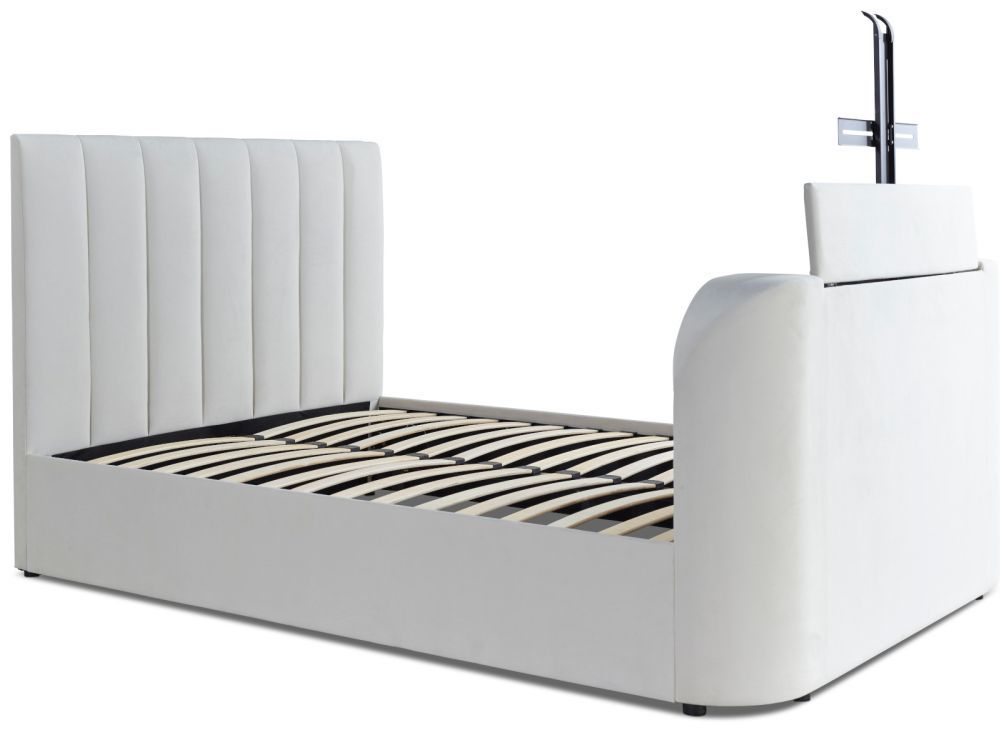
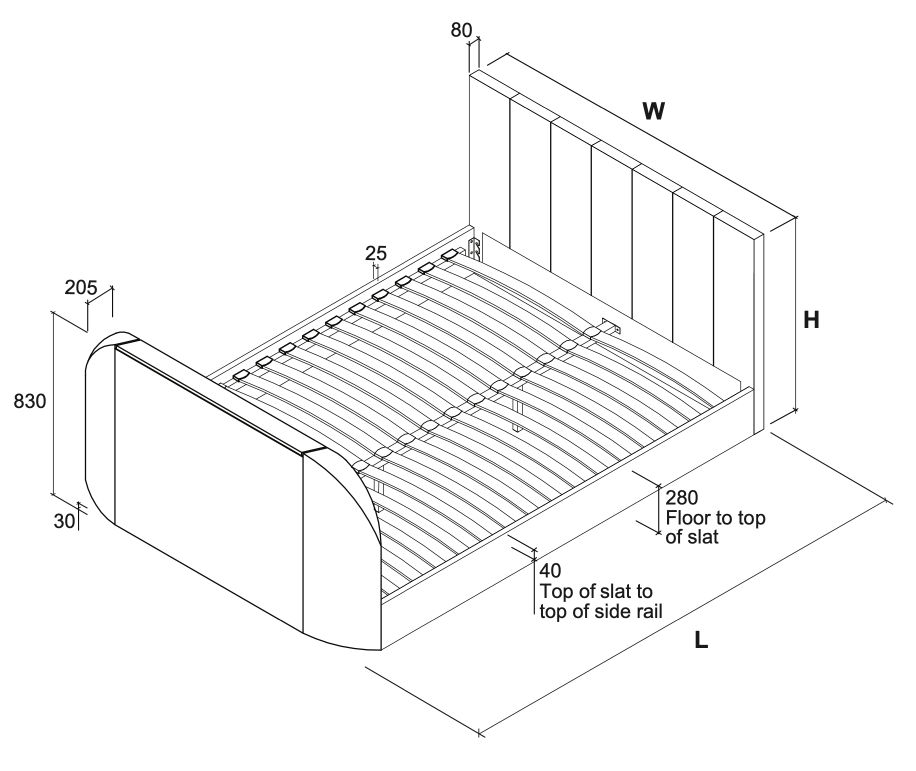
 Instructions by time4sleep Lucille Upholstered TV Bed Frame Assembly instructions for Lucille Upholstered TV Bed Frame by Time4Sleep. -
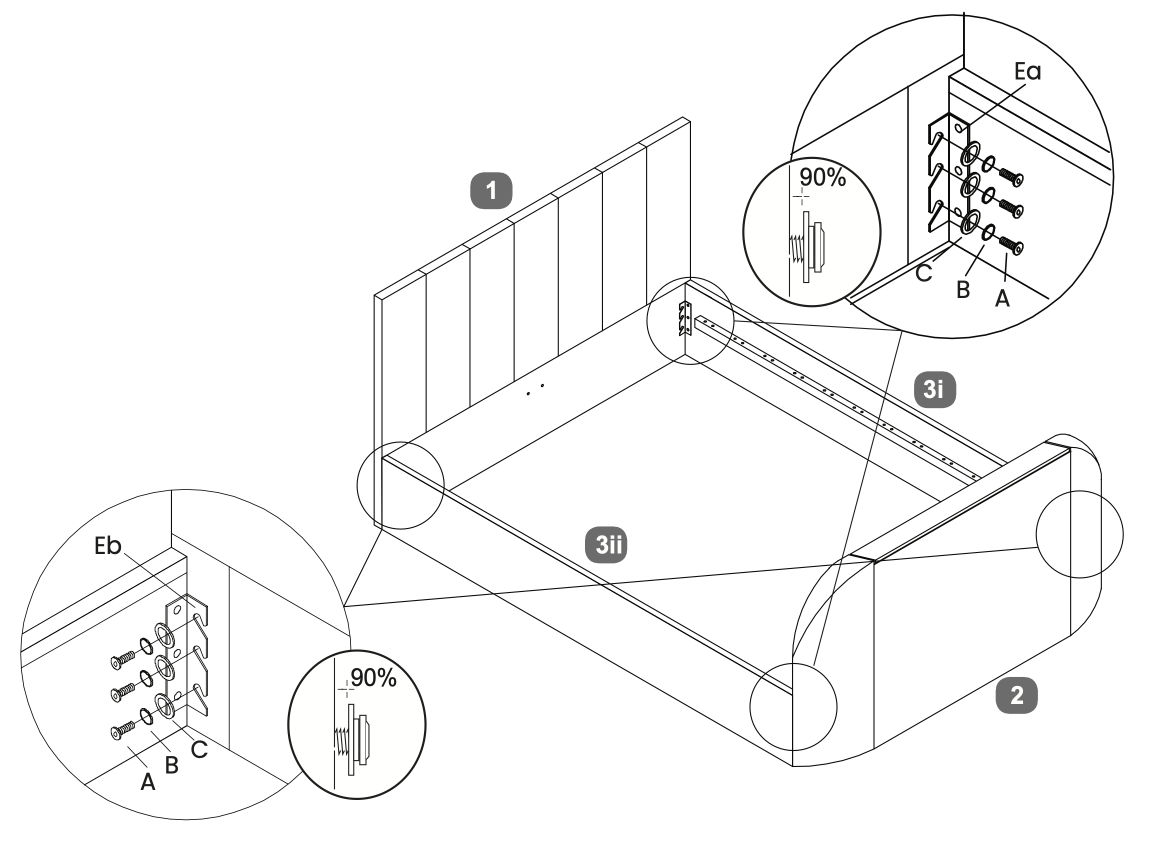
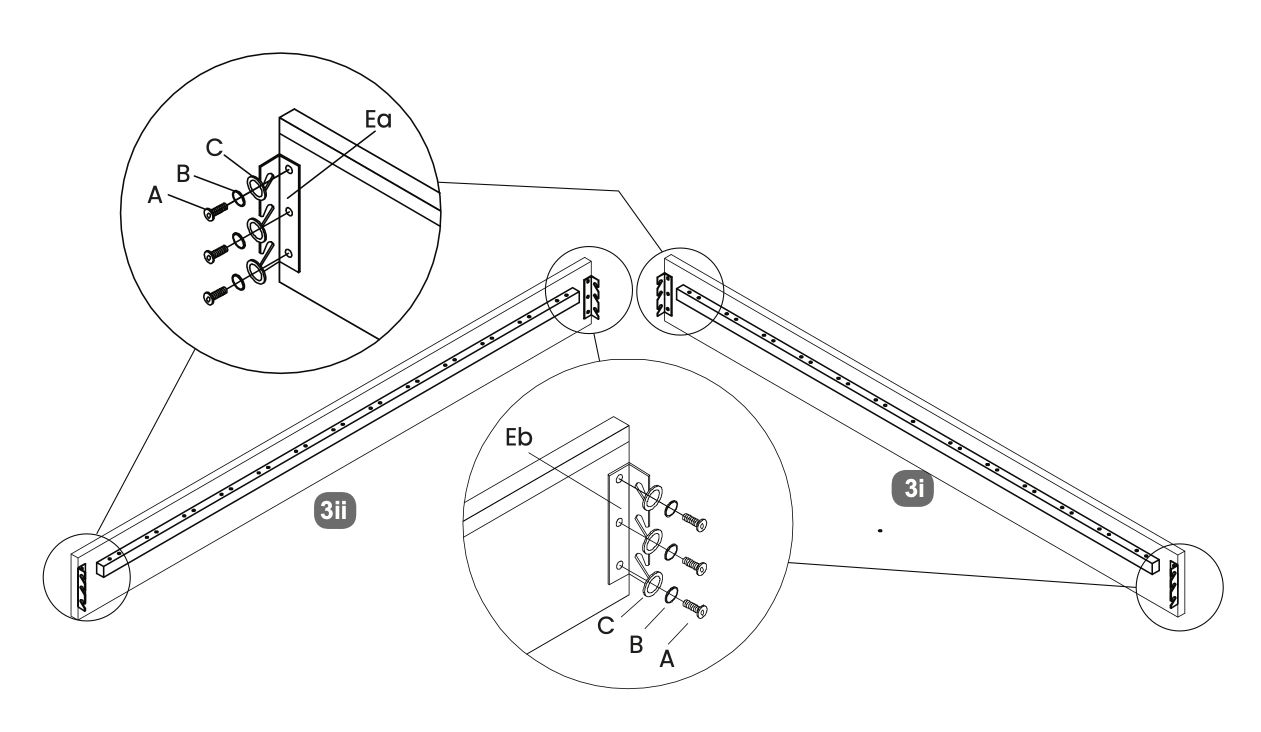
1. Attach Hook Brackets
- Position the hook brackets (Ea and Eb) as shown in the diagram.
- Use screws labeled A, B, and C to attach the hook brackets to the side panels.
- Ensure the screws are tightened securely to maintain stability.
-
2. Securing the Bed Frame
- Align the side panels with the headboard and footboard.
- Use the provided screws to secure them in place, ensuring a 90% tightness for initial alignment.
- Once all panels are aligned, fully tighten all screws to ensure the frame is secure and stable.
-
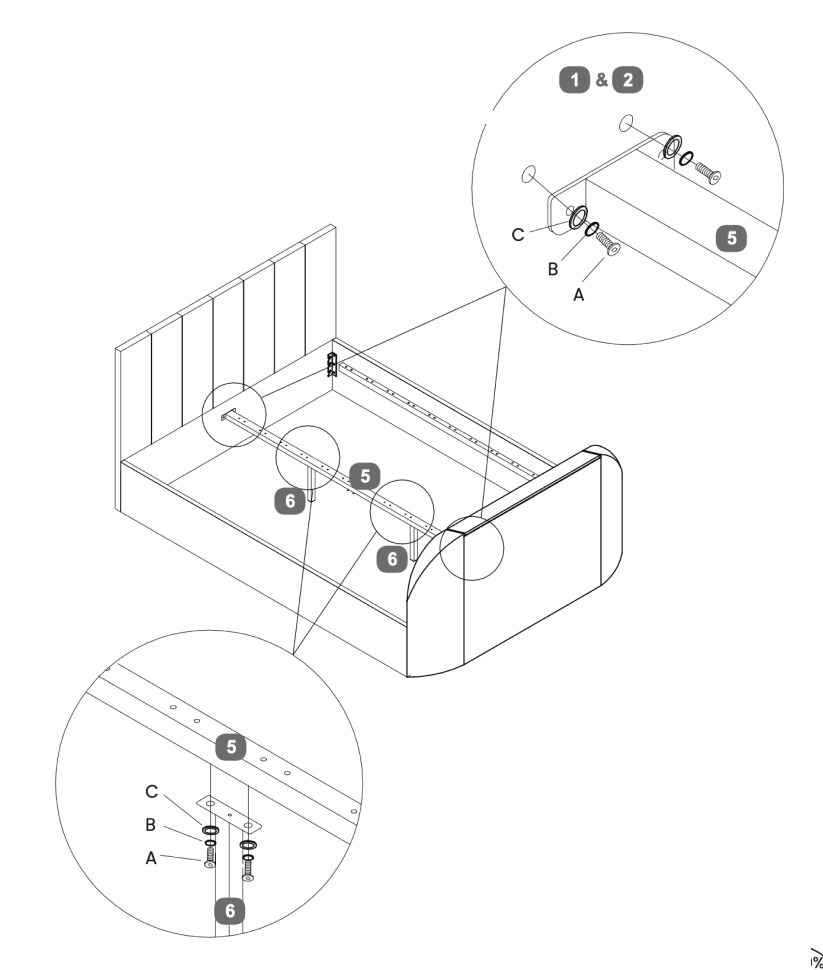
3. Centre Support Bar
- Secure the centre support bar to the headboard and footboard using screws labeled A, B, and C.
- Attach the legs for centre suport wit the same screws (A, B, and C)
-
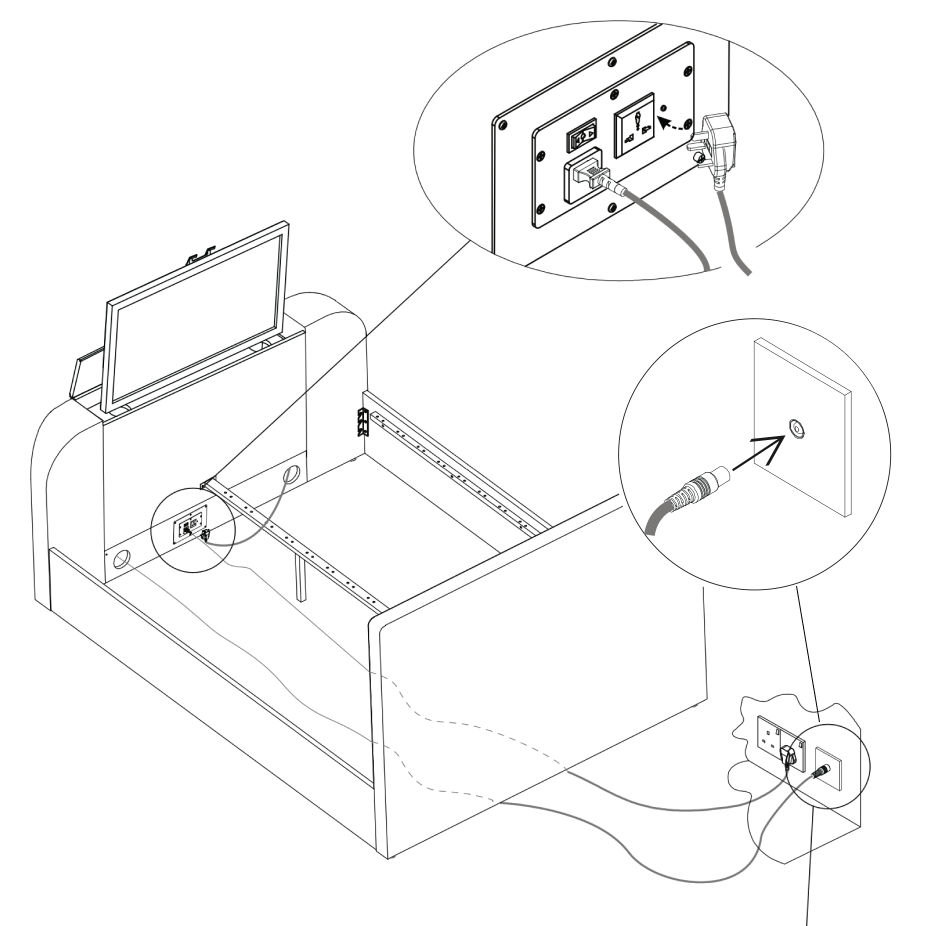
4. TV Lift Power Cable
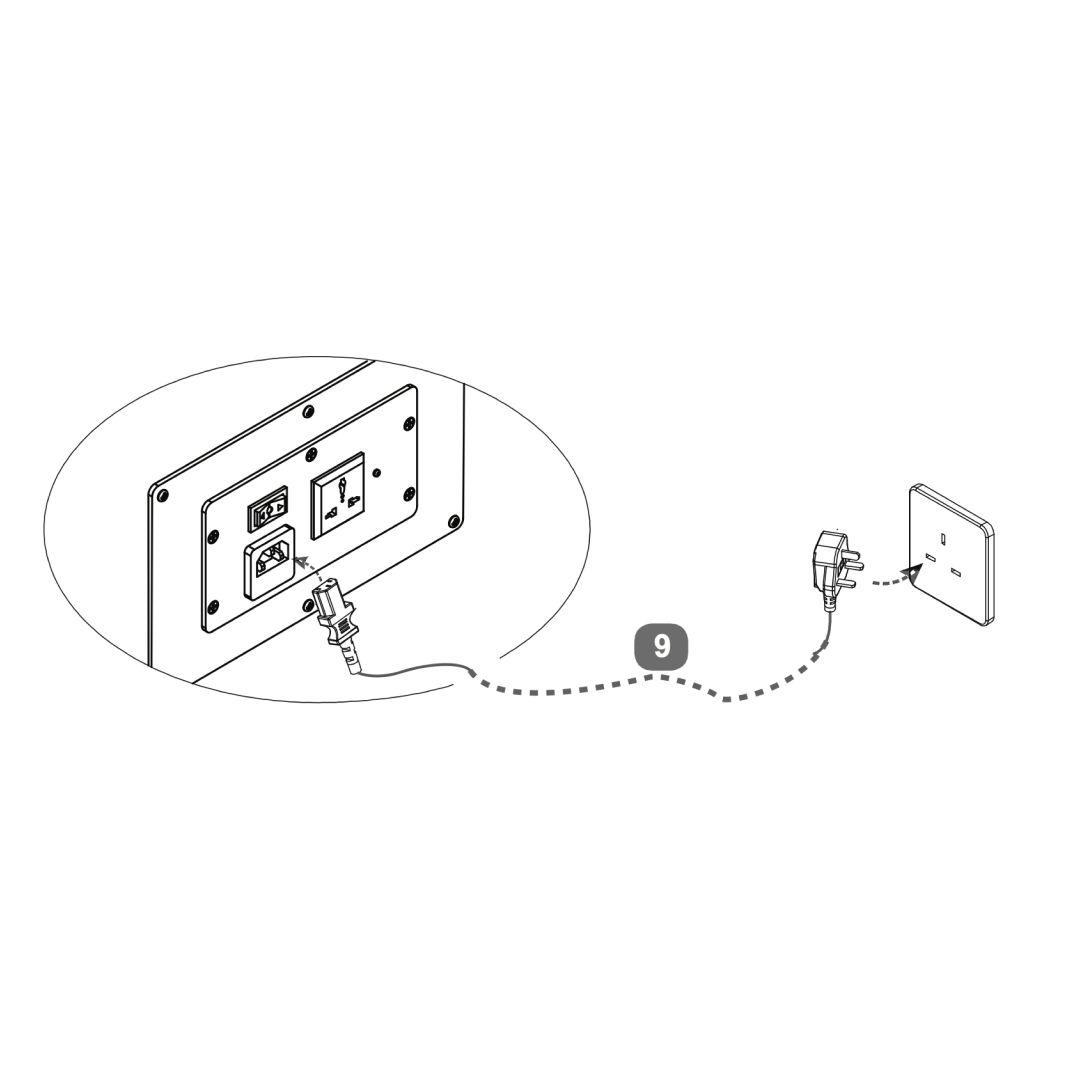
- Attach the power cable to the TV lift mechanism at the headboard.
- Connect mains power lead (9) to your wall socket - for safety, this must be an earthed supply.
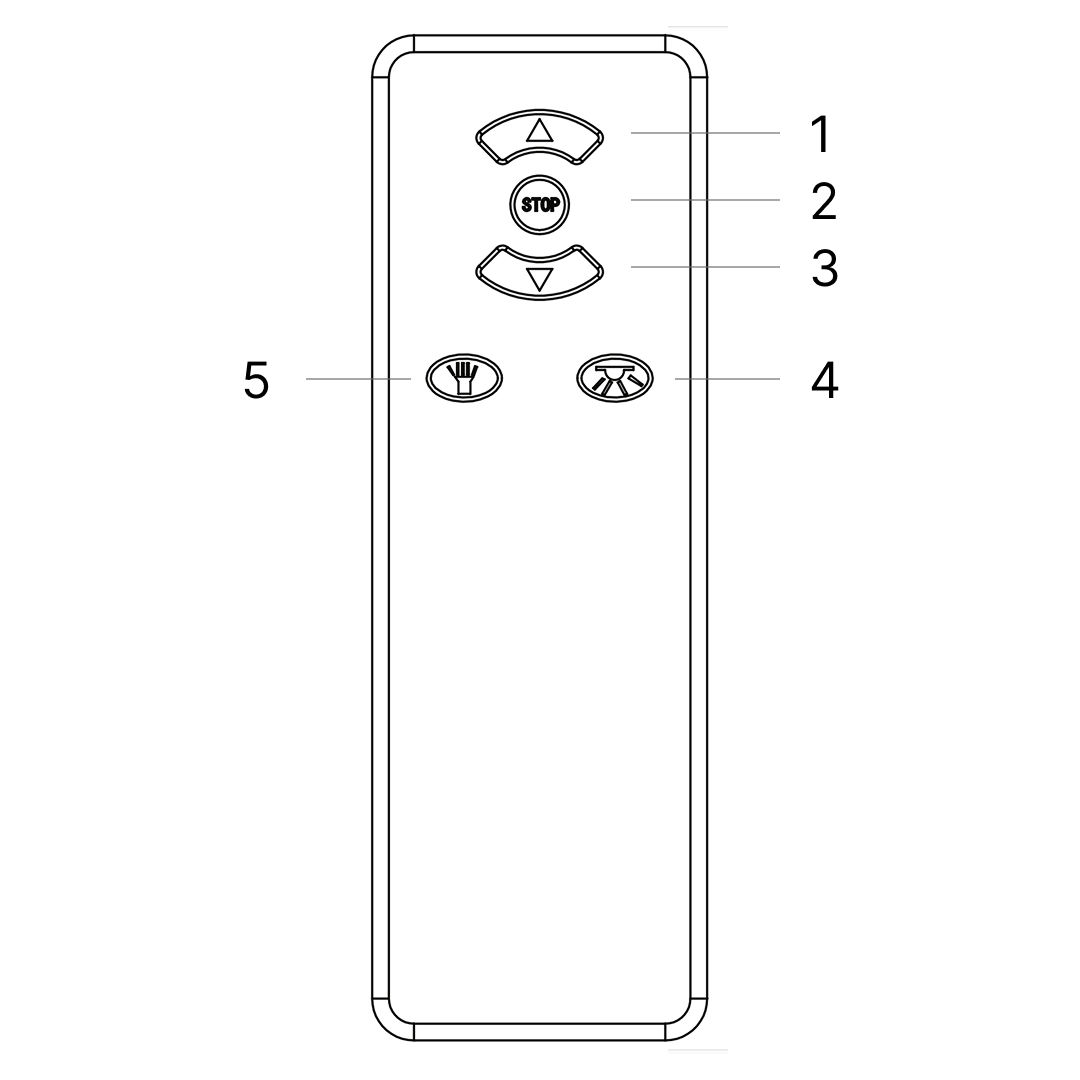
- Use the handheld remote control to operate the TV lift. Press the “UP” button to raise the TV lift.
-
5. Media Cables
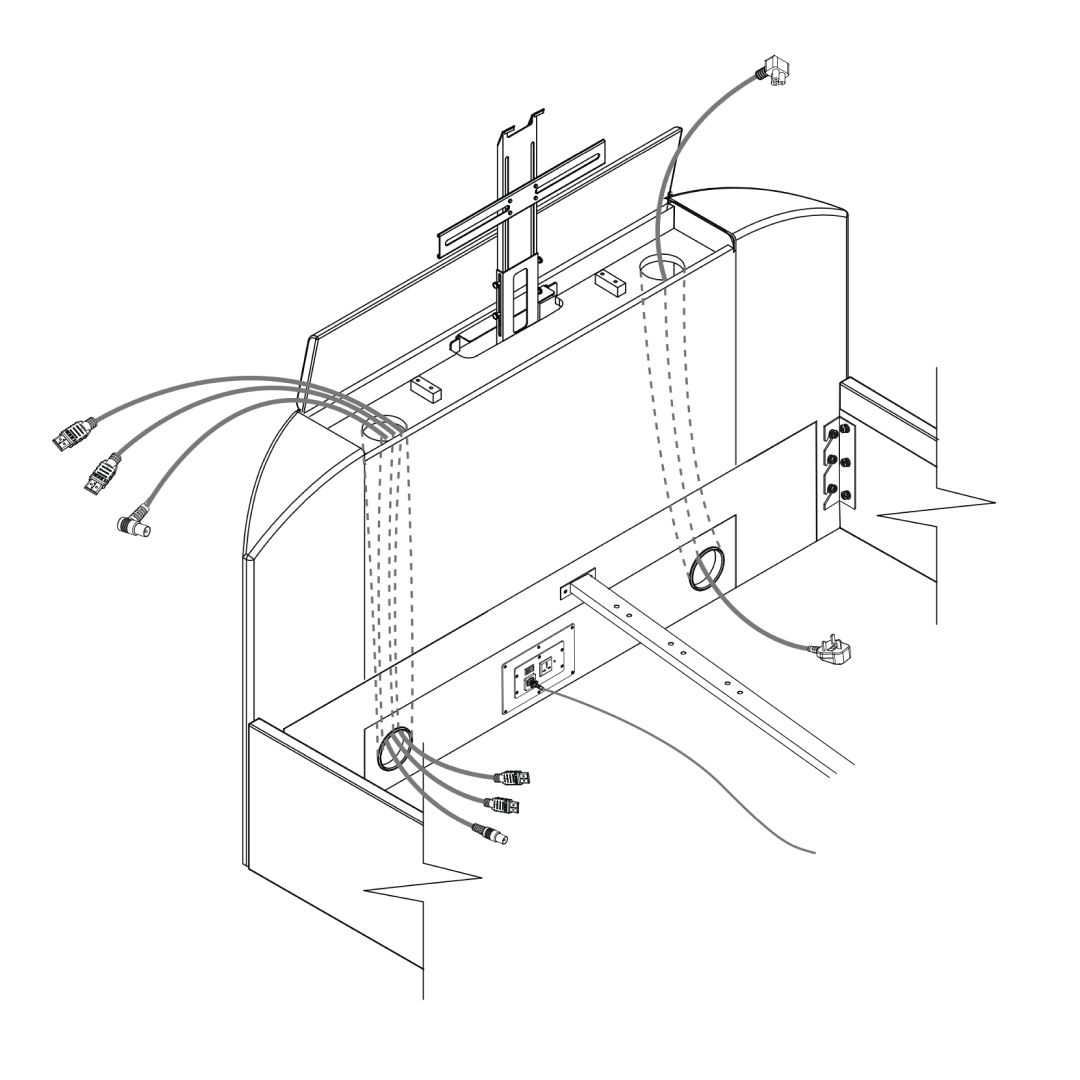
- Before fitting the tv, push cables through each duct from the top. Choose the best side to use depending on where the connection ports are on back of your tv. Never cross cables from one side to the other.
- TV Power Lead supplied with your own TV.
- Leads for HDMI or Aerial.
- If required, please purchase yourself - HDMI about 3mt long and length of aerial lead to suit the position of your wall socket.
-
6. TV Mechanism Assembly
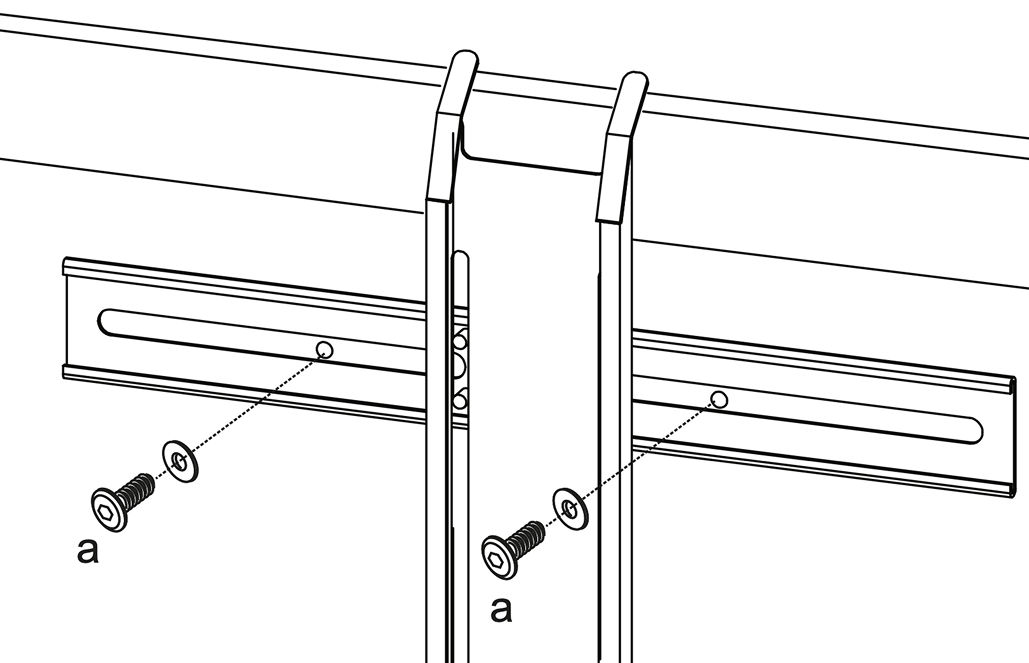
- Secure metal brackets to the lift mechanism with screws (a).
- Align and secure the TV to the brackets.
- Loosen knobs, set height, then tighten.
- Ensure smooth movement, adjust if needed.
-
7. TV Cables
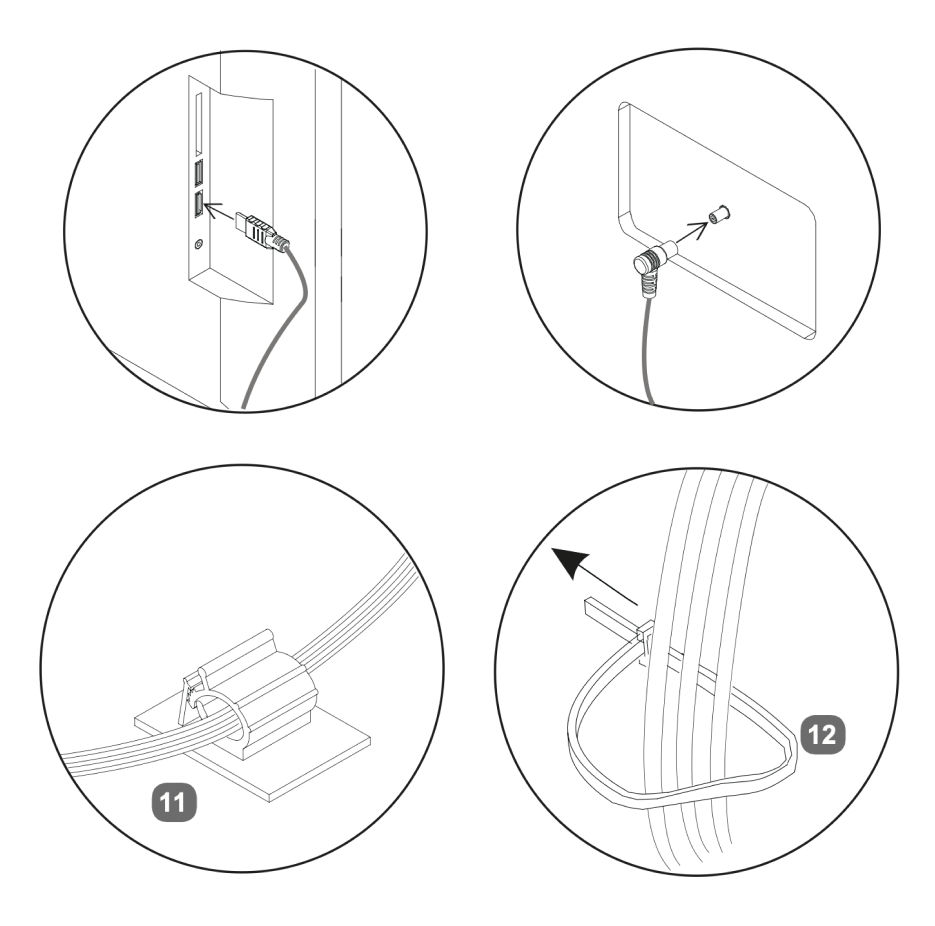
- Plug cables into the TV and antenna.
- ecure cables using clips (11) and fasteners (12).
- Plug the TV cable into the power socket inside the footboard.
TV power lead supplied with your own TV.
-
8. Power & Remote Setup
- Plug the bed’s power cable into a wall outlet.
- Plug the TV antenna into the wall socket.
- Remove the safety tab (if any) and test the TV lift.
-
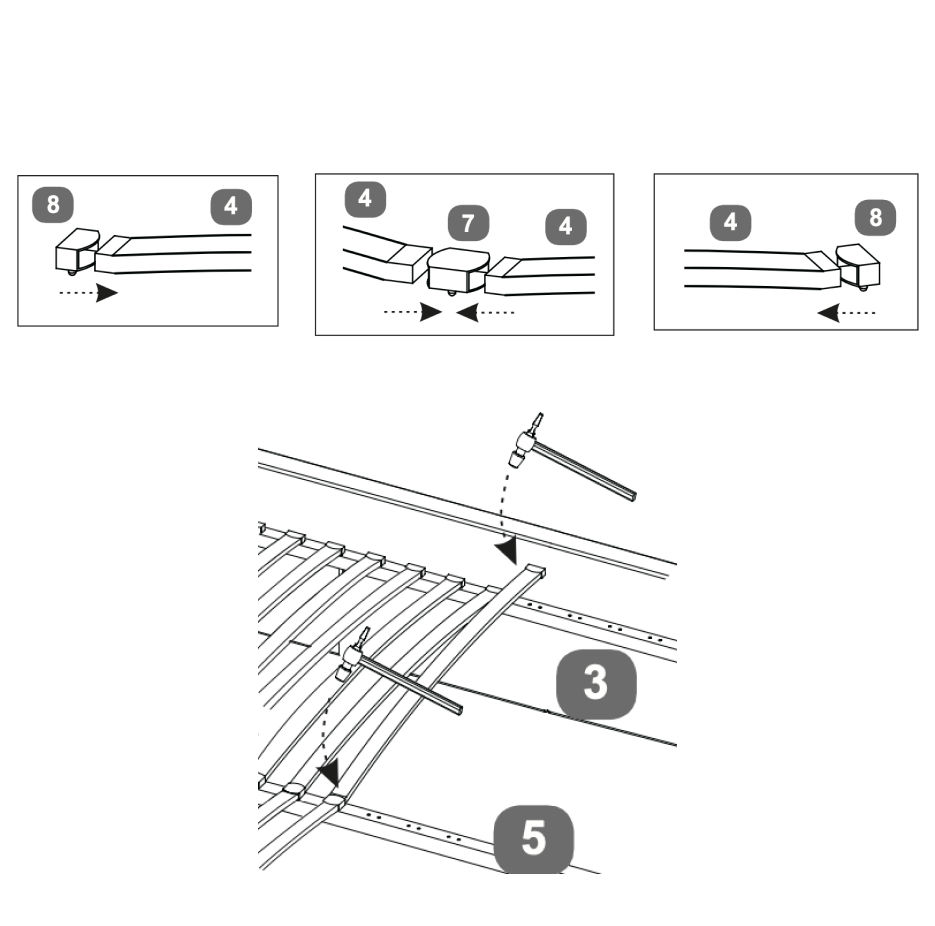
9. Fit the Slats On either Double, King or Super King slat frames - fit the slats to the frame as follows:
- Slide slats (4) into the double plastic caps (7).
- Slide single plastic caps (8) onto each end.
- Connect each set one by one onto the centre support bar(s) (5) & the metal support rail on each side rail (3) - align the lugs & tap gently with a light hammer.
-
10. TV Remote
- Press once and TV will rise to it's upper working position. Power to the TV will be connected automatically
- Press once and TV Lift will stop.
- Press once and TV will go down - as soon as the lower resting position is reached power to the TV is switched off to prevent it overheating.
- Torch
- Code Matching
Code Matching (pairing): occasionally pairing is lost, perhaps due to atmospheric conditions,
To re-pair - press and hold the code matching button whilst connecting the power by plugging the mains cable into the control box of the TV lift on the base of the footboard.
Continue to press the button for another 5 seconds then press the up or down button to successfully match the code.
Regularly check the batteries and if necessary re-place them - x3 pcs AAA size.
|
 www.time4sleep.co.uk